
Checking your electricity bill online can save time and eliminate the need to visit a FESCO office. If you are wondering how to check FESCO bill by CNIC, it is important to understand that FESCO’s online bill system generally uses the 14-digit reference number or other bill/account information rather than CNIC alone for directly retrieving a duplicate bill.
In this guide, we explain how CNIC information may help identify your electricity connection and the practical ways to check your FESCO bill online, download a duplicate bill, and find your reference number.
How to Check FESCO Bill by CNIC
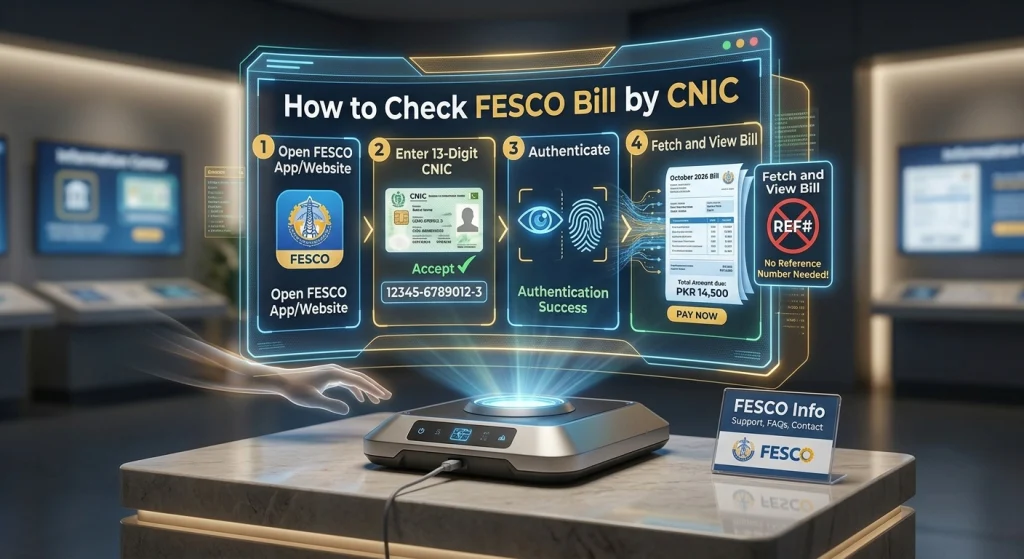
Many consumers search for FESCO bill check by CNIC because they may not have their electricity bill or reference number available. However, the standard online bill-checking process requires the electricity connection’s reference number.
If you have your previous FESCO bill, look for the reference number printed on it. You can then use that number to access your latest bill online.
For official electricity-related information, you can visit the FESCO official website.
Can You Check a FESCO Bill Directly With CNIC?
CNIC and electricity connection information can be related, but entering a CNIC number alone does not necessarily provide direct access to a FESCO duplicate bill through the standard online bill-checking facility.
If you do not know your reference number, you can try the following options:
- Check an old FESCO electricity bill.
- Ask the property owner or account holder for the bill details.
- Contact FESCO customer support.
- Visit a FESCO customer service center with the required identification and connection information.
- Check any previous electricity payment record that contains the reference number.
What Is a FESCO Reference Number?
A FESCO reference number is the unique identification number associated with an electricity connection. It is commonly used to retrieve billing information through online bill-checking services.
The reference number can usually be found on a previous electricity bill.
Once you have the correct reference number, you can use the online bill facility to:
- View your current electricity bill
- Check the payable amount
- See the due date
- Download a duplicate bill
- Print the bill
- Review billing information
How to Find Your FESCO Reference Number
If you want to check FESCO bill by CNIC because you have lost your previous bill, finding the reference number is usually the most useful next step.
1. Check an Old Electricity Bill
Look for any previous FESCO bill available at home. The reference number is printed on the bill along with other consumer information.
2. Check Previous Payment Records
If you have paid your electricity bill through a bank, mobile wallet, ATM, or another payment service, your transaction history may contain information that can help identify the electricity account.
3. Contact FESCO
If you cannot find an old bill or reference number, contact FESCO through its official customer-service channels and ask how to retrieve your connection details.
Keep relevant information available, such as:
- Consumer’s name
- CNIC information
- Meter details
- Electricity connection address
- Previous bill or payment information
FESCO may require verification before providing account-related information.
How to Check FESCO Bill Online
Once you have your FESCO reference number, checking your bill online is straightforward.
Step 1: Find Your Reference Number
Take an old FESCO electricity bill and locate the reference number.
Step 2: Open the FESCO Bill Check Facility
Use the official FESCO online services or a reliable FESCO bill-checking website.
Step 3: Enter Your Bill Information
Enter the required reference number carefully. Make sure all digits are correct before submitting the form.
Step 4: View Your Bill
After submitting the information, your available billing details should appear if the service successfully retrieves the account.
Step 5: Download or Print the Duplicate Bill
If you need a physical copy, download the displayed bill and print it for your records or payment.
FESCO Bill Check by CNIC vs Reference Number
There is an important difference between these two methods.
| Method | Main Information Used | Purpose |
|---|---|---|
| FESCO Bill Check by CNIC | CNIC/account information | Helps identify or verify connection details |
| FESCO Bill Check by Reference Number | Reference number | Used for online bill retrieval |
| Duplicate FESCO Bill | Reference number | Download or print another copy |
| FESCO Customer Service | Consumer/connection details | Account-related assistance |
For routine online bill retrieval, the reference number is generally the key piece of information.
What Information Can You Find on a FESCO Bill?
After successfully checking your FESCO bill online, you may see several important details.
These can include:
- Consumer name
- Reference number
- Meter number
- Billing month
- Previous meter reading
- Current meter reading
- Units consumed
- Bill amount
- Due date
- Taxes and other applicable charges
- Payment status or related billing information
Reviewing these details can help you understand your monthly electricity charges.
How to Download a FESCO Duplicate Bill
If your original bill has been lost, you do not necessarily need to wait for the next paper bill.
You can retrieve a duplicate bill online when the relevant FESCO billing service is available.
Simple Process
- Locate your FESCO reference number.
- Open the online bill-checking facility.
- Enter the required information.
- Submit the form.
- View the latest bill.
- Download the duplicate copy.
- Print it if a paper copy is required.
This method is especially useful when the bill’s due date is approaching.
Can I Check FESCO Bill Without a Reference Number?
Checking a FESCO bill without the reference number can be difficult because the standard online bill retrieval process depends on identifying the correct electricity connection.
If you have lost your reference number, do not randomly enter numbers. Instead, try to recover it from:
- An old electricity bill
- Previous payment receipts
- Bank transaction records
- Digital payment history
- FESCO customer service
- The relevant electricity connection documents
If CNIC information is requested during an official verification process, provide it only through an appropriate official channel.
How to Check FESCO Bill From Mobile
You can check your FESCO bill from a smartphone as long as you have the required billing information and internet access.
Mobile Steps
- Open your mobile browser.
- Go to the relevant FESCO online bill service.
- Enter your reference number.
- Submit the information.
- View the bill.
- Save or download the duplicate copy.
You can then keep the downloaded bill on your phone for future reference.
Why Is My FESCO Bill Not Showing?
Sometimes consumers enter their information correctly but still cannot retrieve the bill. Several reasons may cause this issue.
Common Reasons
Incorrect reference number:
One incorrect digit can prevent the system from finding the account.
Temporary website problem:
The online service may occasionally experience technical issues.
Billing information not updated:
A newly generated bill may take some time to appear in an online system.
Wrong connection information:
Make sure you are using the reference number belonging to the correct electricity connection.
If the problem continues, verify your information and contact FESCO through its official channels.
Is CNIC Required to Pay a FESCO Bill?
CNIC requirements can vary depending on the payment method and service provider. For ordinary bill payment, the electricity bill’s relevant account information is generally more important than the CNIC number.
If a bank, payment service, or FESCO facility requests identification, follow that provider’s current requirements.
Benefits of Checking Your FESCO Bill Online
Online bill checking offers several practical advantages.
Saves Time
You can access billing information without waiting for a paper copy or visiting an office.
Easy Duplicate Bill Access
If your original bill is lost, an online copy can be useful for checking the amount and making payment.
Check the Due Date
Online access lets you review the bill’s due date and payable amount.
Convenient Mobile Access
You can check billing information from a smartphone, tablet, or computer.
Better Bill Management
Keeping digital copies of your bills can make it easier to track monthly electricity expenses.
Important Tips for FESCO Consumers
When checking your electricity bill online, keep these points in mind:
- Save your reference number somewhere secure.
- Double-check every digit before submitting it.
- Compare the online bill with your previous bill when necessary.
- Check the due date before making payment.
- Use official FESCO channels for account-related issues.
- Avoid sharing sensitive CNIC information with untrusted websites.
- Keep digital copies of important bills for future reference.
Frequently Asked Questions
How to check FESCO bill by CNIC?
The standard online FESCO bill-checking process generally relies on the electricity connection’s reference number rather than CNIC alone. If you do not have the reference number, use an old bill, payment record, or contact FESCO to help identify the connection.
Can I check my FESCO bill without a reference number?
It may not be possible through the standard online bill-checking facility. If you have lost the reference number, check an old bill or contact FESCO customer service with relevant connection information.
Where can I find my FESCO reference number?
Your FESCO reference number is printed on your electricity bill. You can also try retrieving it from previous payment records or through FESCO customer-service assistance.
Can I download a duplicate FESCO bill?
Yes. Once the correct electricity connection is identified through the available online bill service, you can generally view and download a duplicate bill.
Can I check my FESCO bill on my phone?
Yes. You can use a smartphone browser to access the relevant online bill service and enter your required billing information.
What should I do if my FESCO bill is not showing?
First, check that your reference number is correct. If the problem continues, try again later or contact FESCO through its official customer-service channels.
Final Thoughts
If you are searching for how to check FESCO bill by CNIC, the key point is that CNIC information may help with account identification or verification, but the standard online bill retrieval process generally requires the FESCO reference number. If you have lost your bill, recover the reference number from an old bill, payment record, or FESCO customer-service channel and then use the online system to view or download your latest bill.